

Voice agents book meetings in Dapta Calendars
Voice AgentsNewOct 5 – 11, 2026
Your voice agent checks your Dapta Calendars availability and books the meeting during the call, so the caller never needs a booking link.
A voice agent can now check your availability and book meetings in Dapta Calendars while it talks, on inbound, outbound and web calls. The caller asks for a time, the agent offers the slots your calendar has free, and it books the one the caller confirms. One action does both, with no API key to paste.
Set it up
- Open your voice agent, go to Settings, open Agent Actions and click + Add.
- Choose Dapta Calendars Scheduling.
- Pick the Meeting the agent will book. If you have none yet, create one with a Meeting name and a 15, 30, 45 or 60 minute duration.
- Check the Default time zone.
- If you want, write Additional instructions about when the agent may offer times, for example only after the caller says which service they need.
- Click Save.
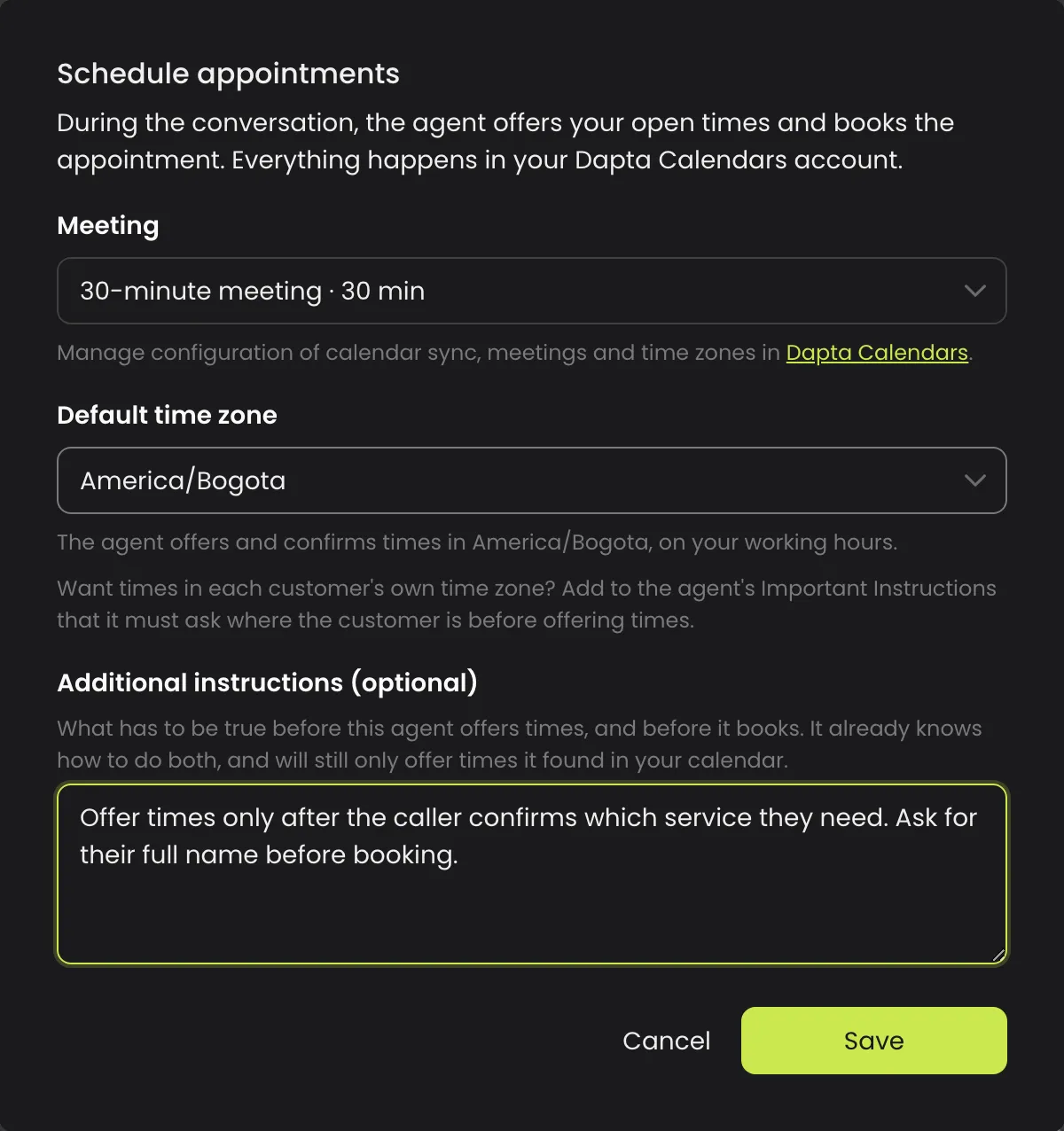
Your instructions are added to the agent's own scheduling rules and never replace them: it always checks the calendar before naming a time and only offers times it found free.
Good to know
- Times are said in the default time zone, and in the caller's own time zone once the caller says where they are.
- Every booking sends a calendar invite to the caller and to you, and appears in your Dapta Calendars account.
- To book, the agent needs the caller's full name and email. If the call doesn't bring an email, the agent asks for it.
- An agent books one meeting. Use the pencil icon on the action to change the meeting, the time zone or the instructions.