

Correct the AI's verdict on a call
Voice AgentsNewOct 12 – 18, 2026
When the AI judges a call wrong, switch it between Goal met and Goal not met, say why, and your call logs and metrics use your answer.
After every call, the AI decides whether the call met its goal. When it gets one wrong, you can now correct it, and Dapta counts the corrected result everywhere it matters.
Correct a call
- Open the call's detail page.
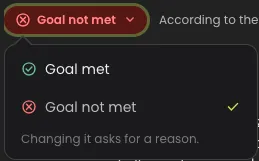
- Under the player, the badge shows whether the call met its goal: Goal met or Goal not met.

- Click the badge and pick the other option.
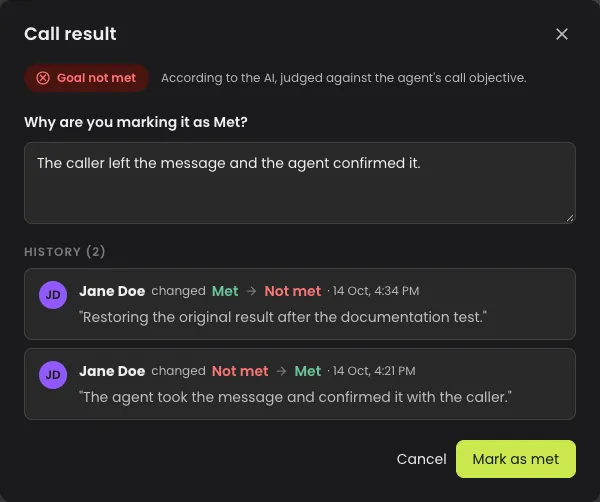
- In the Call result window, write why you're changing it, in at least 10 characters.
- Click Mark as met or Mark as not met.
What your correction changes
- Call logs, their filter and the agent's success metrics use the corrected result.
- The Call result window keeps the AI's original verdict and the history of changes.
- To undo a correction, switch the result back and give a reason. It adds to the history; nothing is deleted.
Good to know
- Owners, admins and members can correct a call.
- Webhooks and after-call destinations keep the result they received when the call ended.
- Re-analyzing a call puts back the AI's result, so avoid re-analyzing a call you corrected.