

AI follow-ups can send media on WhatsApp
Text Agents & InboxNewSep 7 – 13, 2026
An AI follow-up on WhatsApp can now bring the file itself, like a price list or a brochure, with a short caption, to win back a contact who went quiet.
Follow-ups bring back contacts who stop replying. Until now an AI follow-up could only send text. On WhatsApp, where the conversation's channel supports sending media, it can now carry one attachment with a caption, so the agent can send the price list or brochure instead of only mentioning it.
How it works
- Open your text agent and go to its Settings tab.
- In Follow-ups, add a follow-up or edit one with the pencil icon.
- Set Content Type to AI Generated.
- In AI Prompt, mention the file and its public link, for example: send the price list (https://yourcompany.com/pricing.pdf) and offer to book a call.
- Save, then publish the agent.
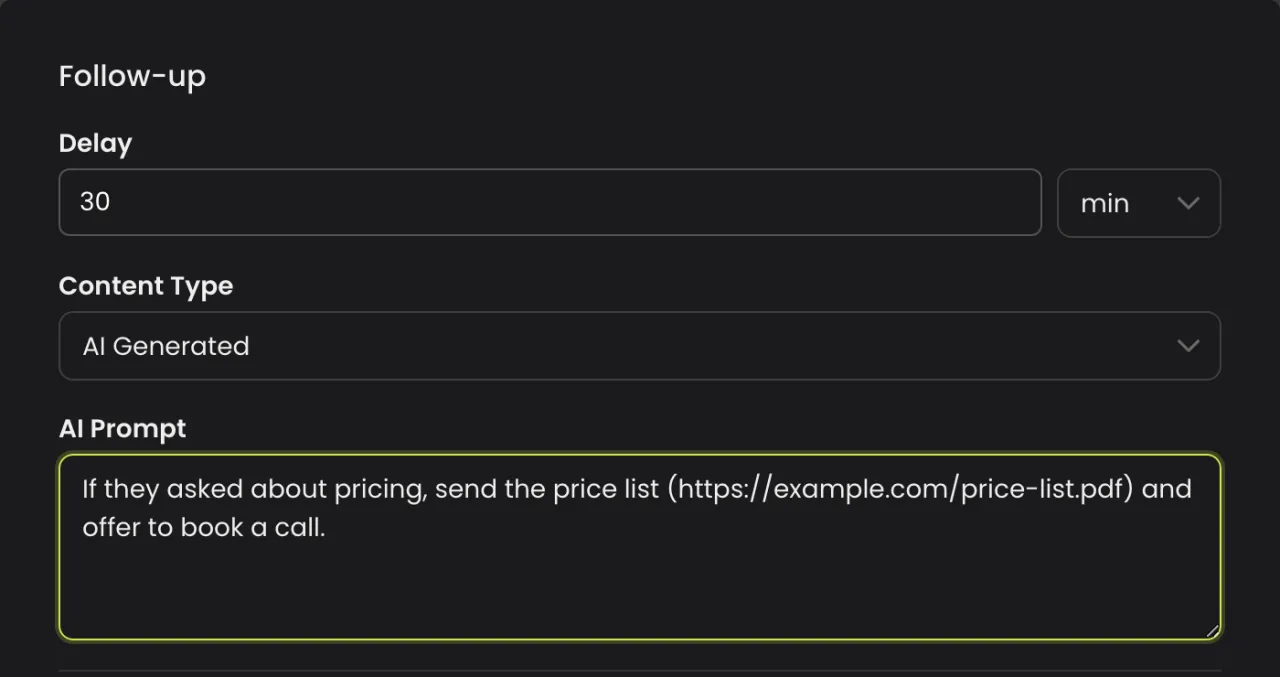
There is nothing new to switch on. The agent decides whether a file would help bring the contact back, and only attaches a file whose link it already has: from the AI Prompt, its instructions or the conversation.
Good to know
- Images, audio, video and documents are allowed, one per follow-up. Each file is checked against the channel's own type and size limits before it goes.
- The link must be a direct, public link that opens without a login.
- A follow-up is attempted once. If the contact writes back, the follow-up is cancelled, or a person takes the conversation over, it isn't sent.