

Set up a flow template step by step
Flow & Data StudioNewOct 19 – 25, 2026
Pick a ready-made flow in Flow Studio and a guided setup asks only for what it still needs: your accounts, sheets, agent and when it runs.
Flow Studio has a gallery of ready-made flow templates for common jobs, such as calling the leads in a Google Sheet or saving every call's result. Instead of opening a finished flow and hunting for what to change, the template you pick walks you through what it needs from you.
Find a template
- In Flow Studio, click New Flow. The Templates gallery opens.
- Browse Most used or a group such as Outbound calls or After the call, or type what you want in What do you want to automate?
- Open a template. How it works lists its steps, You'll need lists what to have ready, and a preview shows the flow. Click Use this template.
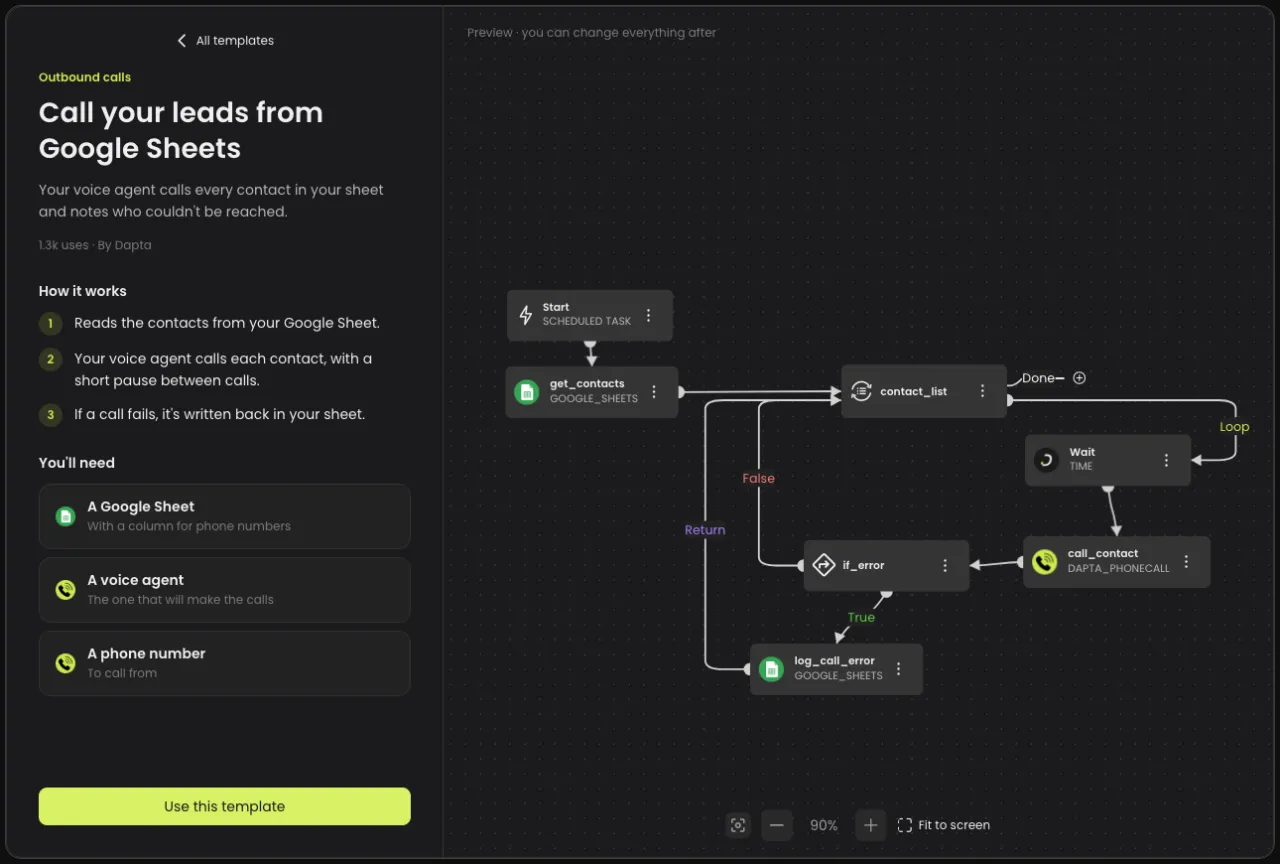
Set it up step by step
Use this template creates the flow and opens a guided setup. Depending on the template, it asks for the accounts the flow uses, the Google Sheet and tab with its columns, the voice agent or the WhatsApp line and template, which data goes where, and when the flow runs. Click Continue to move on, and finish with Review, which shows what is ready and what is still missing.
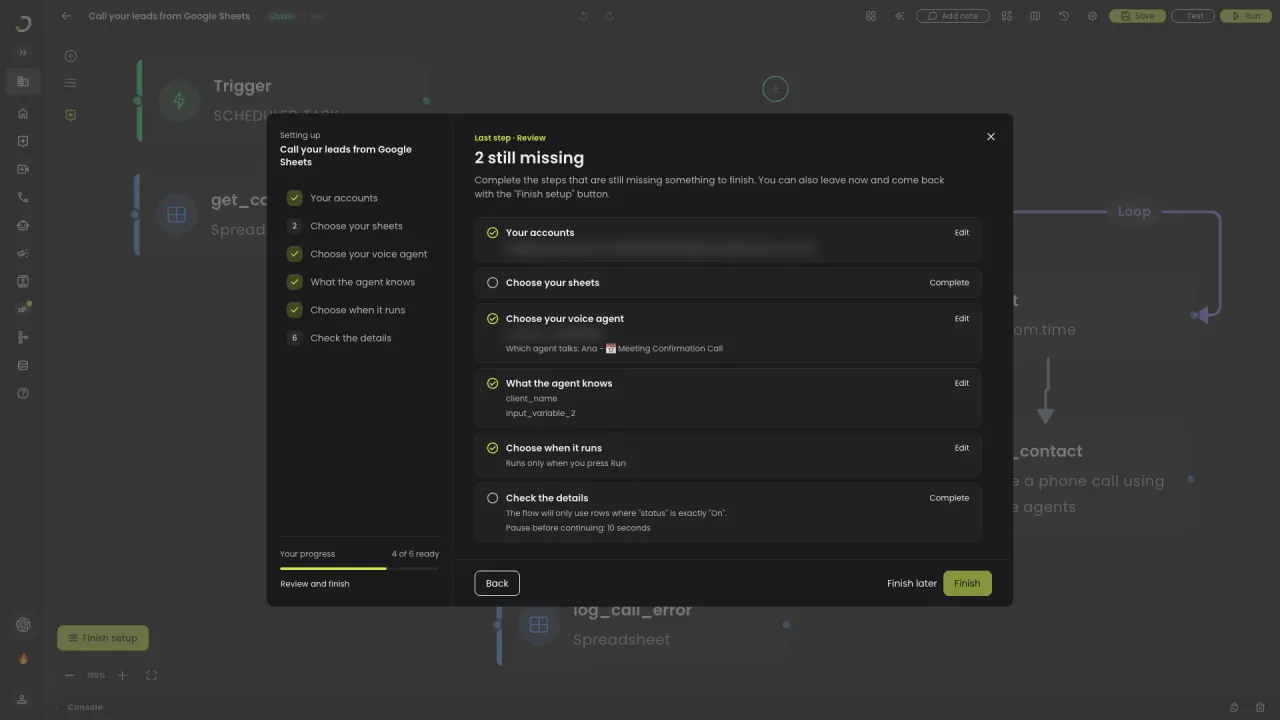
Good to know
- Finish later keeps what you chose. While steps are left, the flow editor shows Finish setup with how many are left.
- Steps that need your own details, like an access token, are marked In the editor. You complete them in the flow editor, and they don't stop you from finishing the setup.
- Nothing fits? Start from scratch, in the gallery, builds a flow without a template.