

Give a voice agent several Dapta Calendars meetings
Voice AgentsImprovedOct 12 – 18, 2026
One voice agent can now book different meetings, like a demo and a follow-up visit, with one Dapta Calendars Scheduling action for each.
A voice agent can now have more than one Dapta Calendars Scheduling action. Each action has its own meeting, time zone and instructions, so one agent can book, say, a demo and a follow-up visit. The agent knows which meeting each action is for.
Before, adding a second action replaced the first. Now it is added to the agent's list of actions.
Add another meeting
- Open your voice agent and go to Agent Actions.
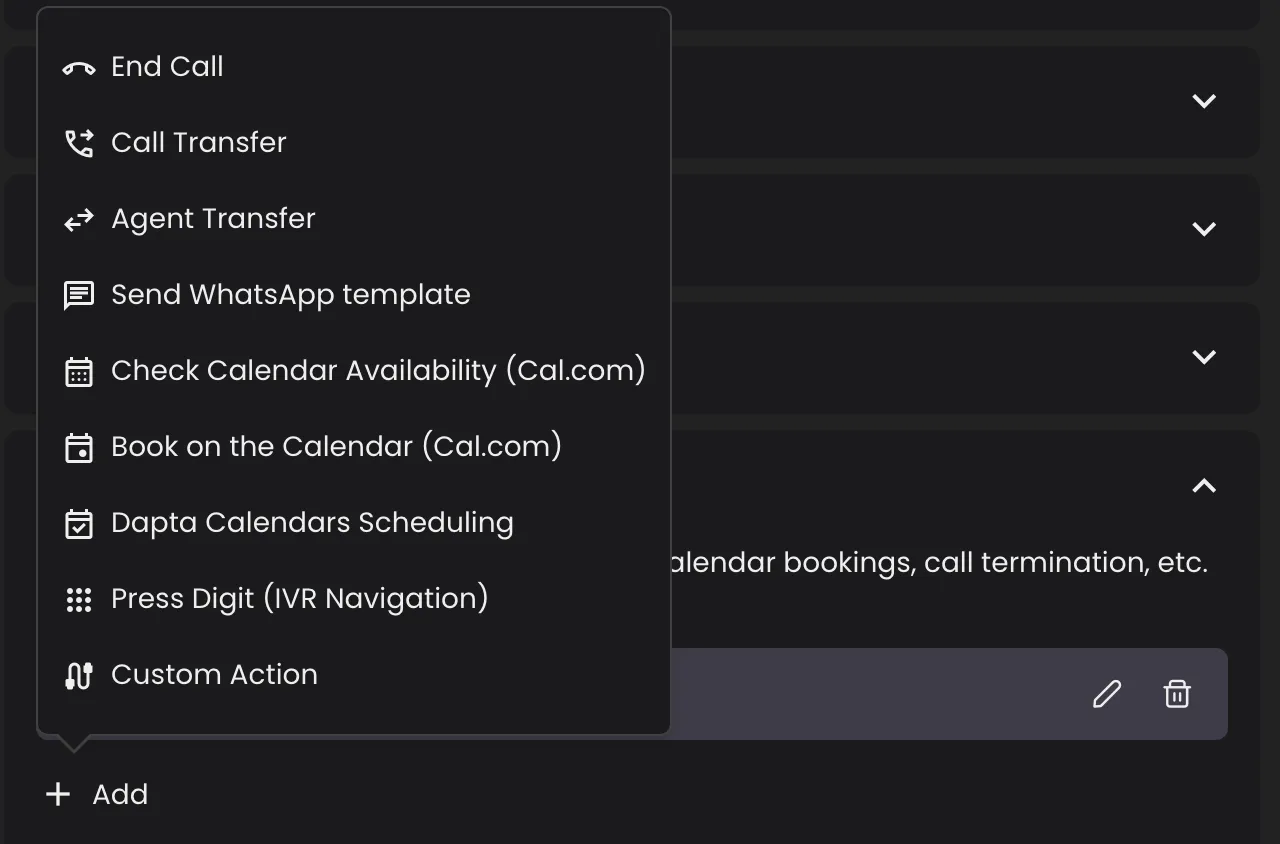
- Click + Add and choose Dapta Calendars Scheduling.
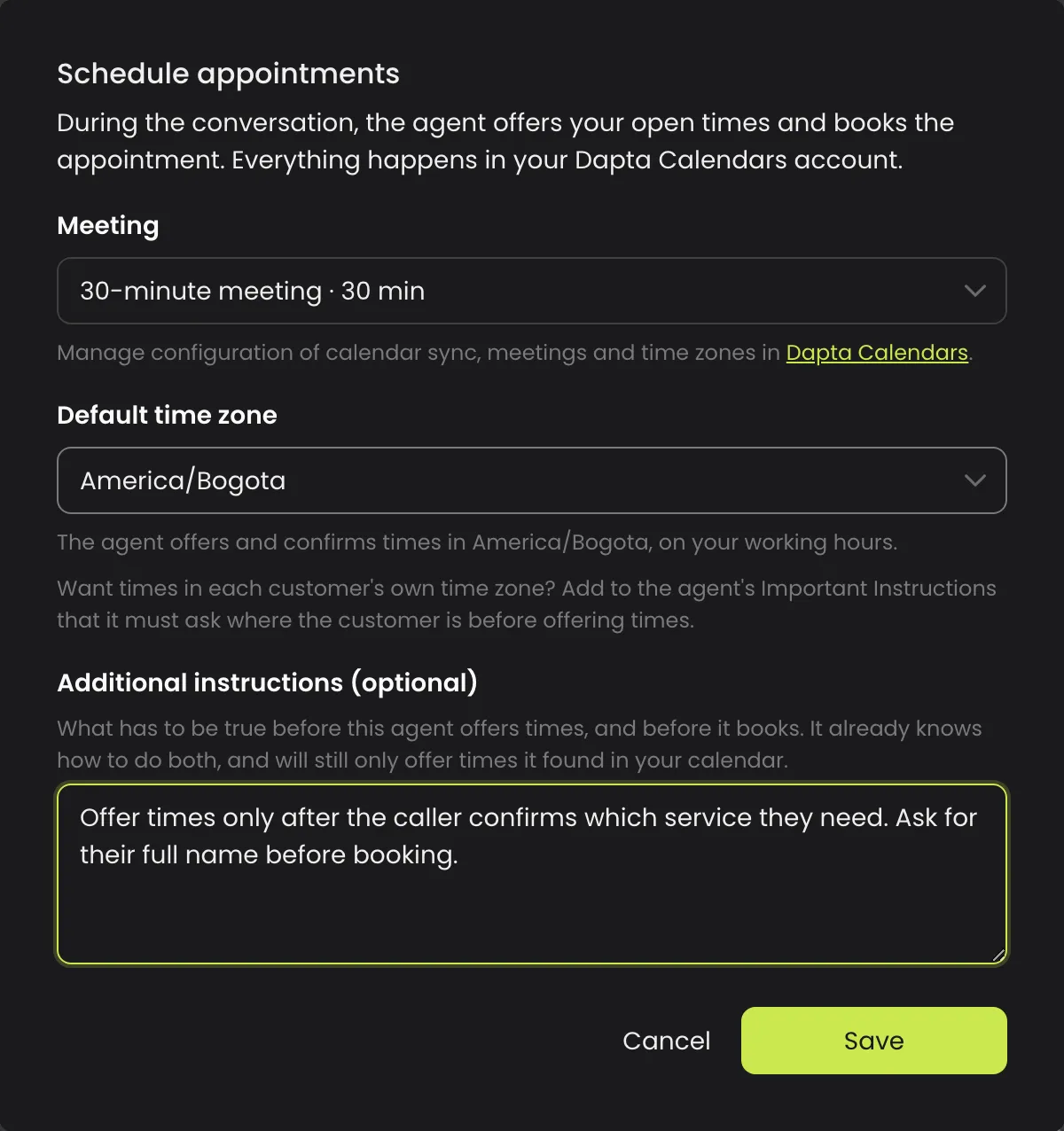
- Pick the Meeting this action books and check the Default time zone.
- If you want, write Additional instructions: when the agent may offer times for this meeting and book it.
- Click Save. Repeat for every meeting the agent should book.
Good to know
- Use the pencil icon on an action to change its meeting, time zone or instructions, and the bin icon to remove it.
- Every action uses your workspace's Dapta Calendars account, with its meetings and availability.
- Only an admin or owner of your Dapta Calendars account can set up the action.